Everything in the box
One plan, every feature. Here's the full sheet set, from the receiving dock to the report your accountant asks for.
A warehouse that knows its own count
Inventory goes wrong at the dock door first. FieldStock starts the paper trail there, with a scan instead of a clipboard.
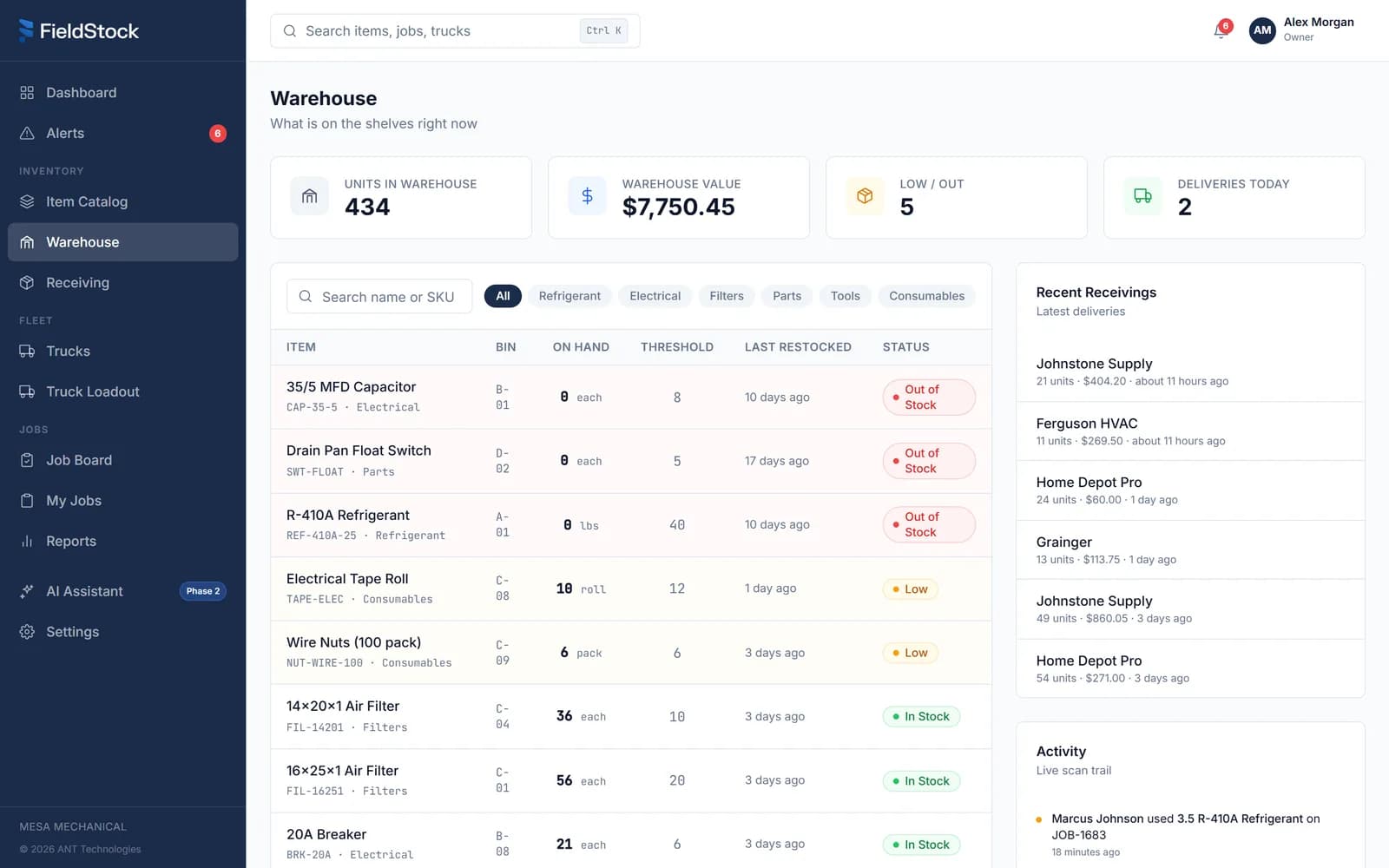
- 01Live count, by bin
- 02Out of stock, flagged in red
- 03Deliveries on file, vendor and PO
QR receiving at the dock
Scan deliveries in against the vendor and the PO. The count moves the moment the box hits the shelf.
Packing slip photos
Snap the slip and it stays attached to the delivery. When a vendor shorts you, the proof is one tap away.
Bin locations
Every item knows its shelf. The new guy finds the contactor on day one without asking anybody.
Live counts
Warehouse totals update on every scan, in and out. No quarterly count day, no clipboard.
Every truck stocked to a list, not a hunch
Truck stock tracking starts in the yard. Templates say what belongs on board, and the fleet board shows who is actually ready.
Loadout templates
Define what a service rig or an install rig should carry. The shop loads to the list, not from memory.
Shortage flags
If the shelf cannot fill the template, the gap shows up before the truck leaves the yard, not at the job.
Door QR codes
One code on every truck door. Scan it and that truck’s live stock is on your screen.
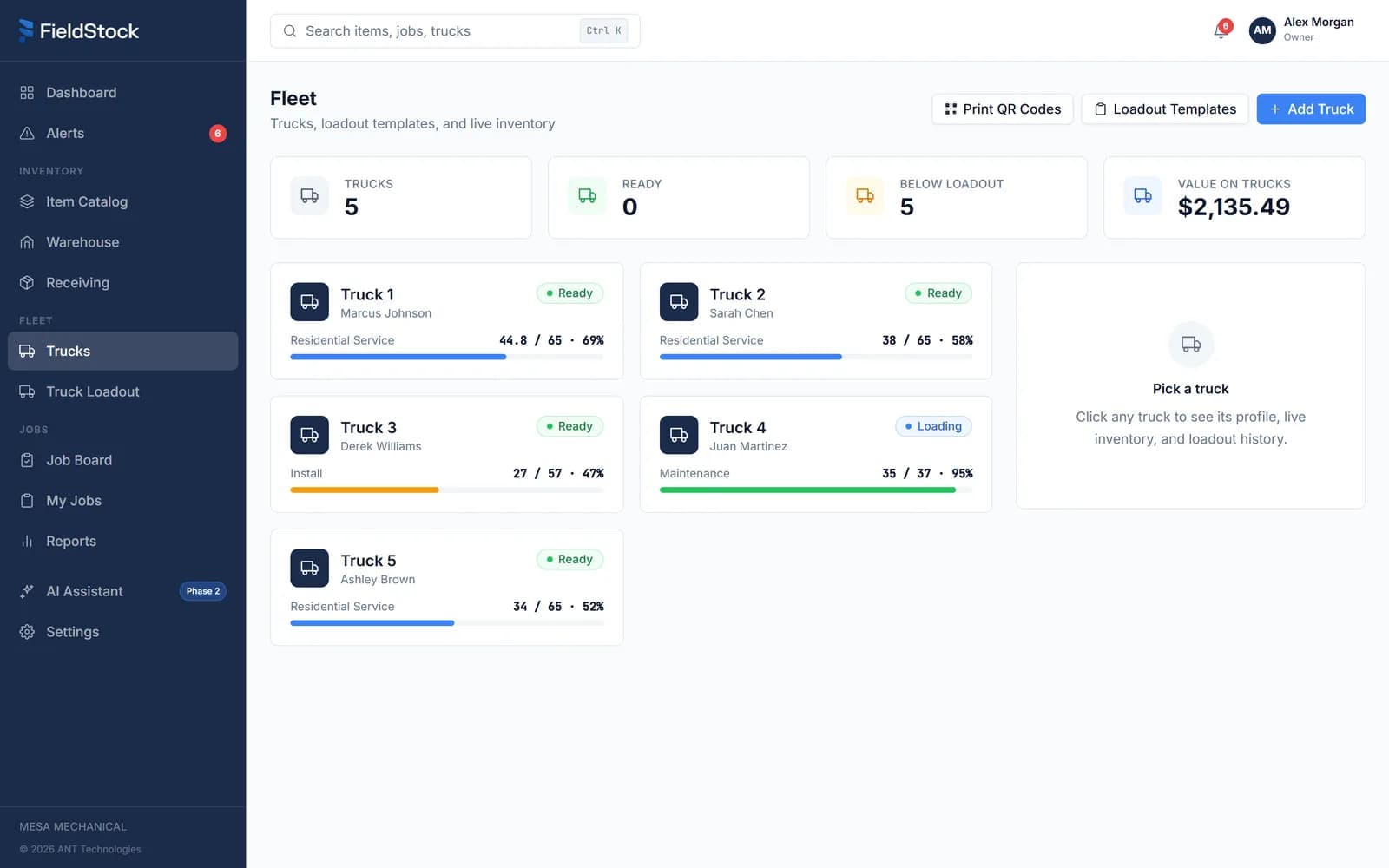
- 01Who drives it today
- 02Loadout progress, live
- 03Ready, or short
The job is the unit of truth
Every part and every minute lands on a job, so you know what each one really cost before the invoice goes out. It all runs in the browser on any phone, nothing to install.
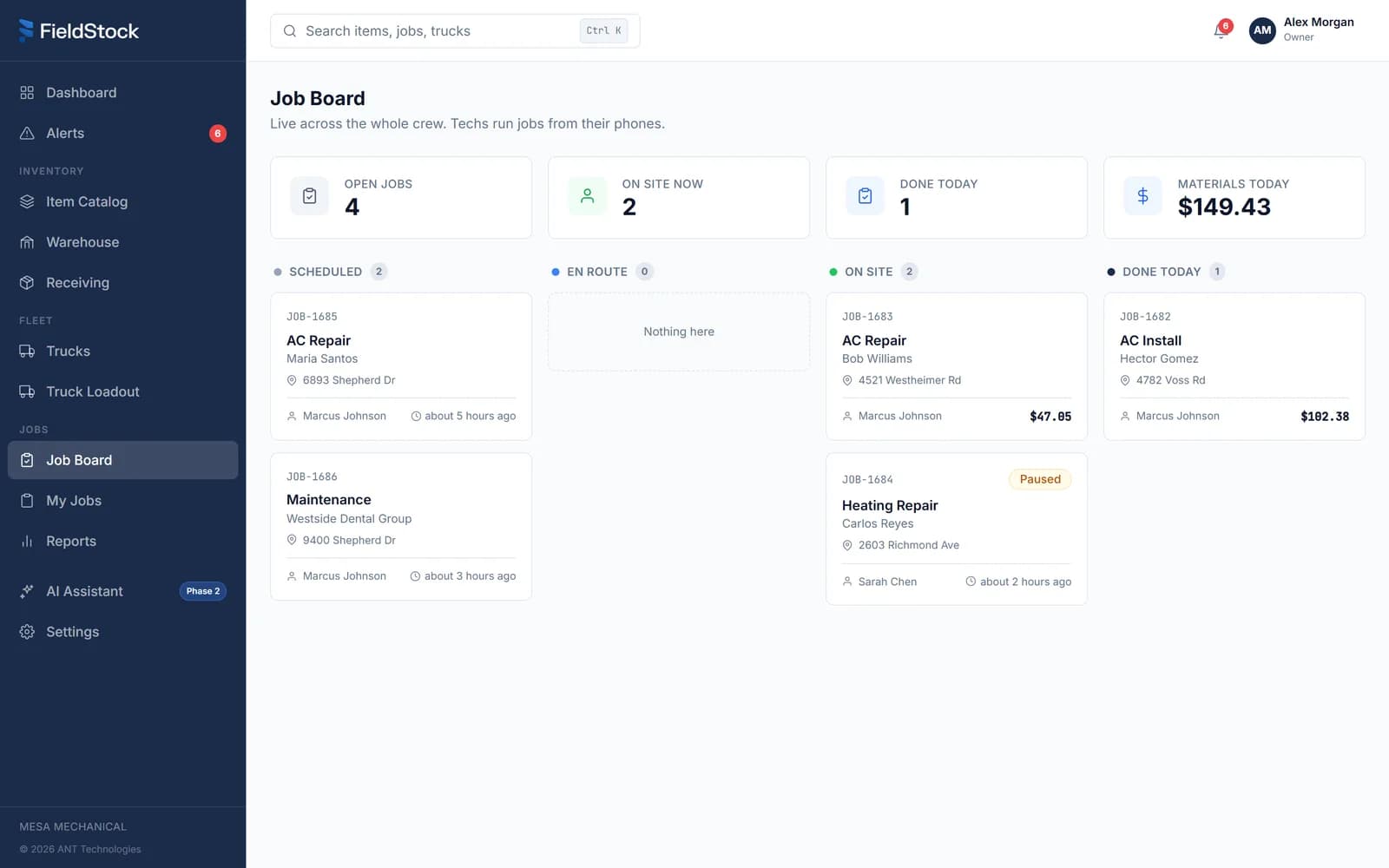
- 01Scheduled to done, one board
- 02Material cost for the day
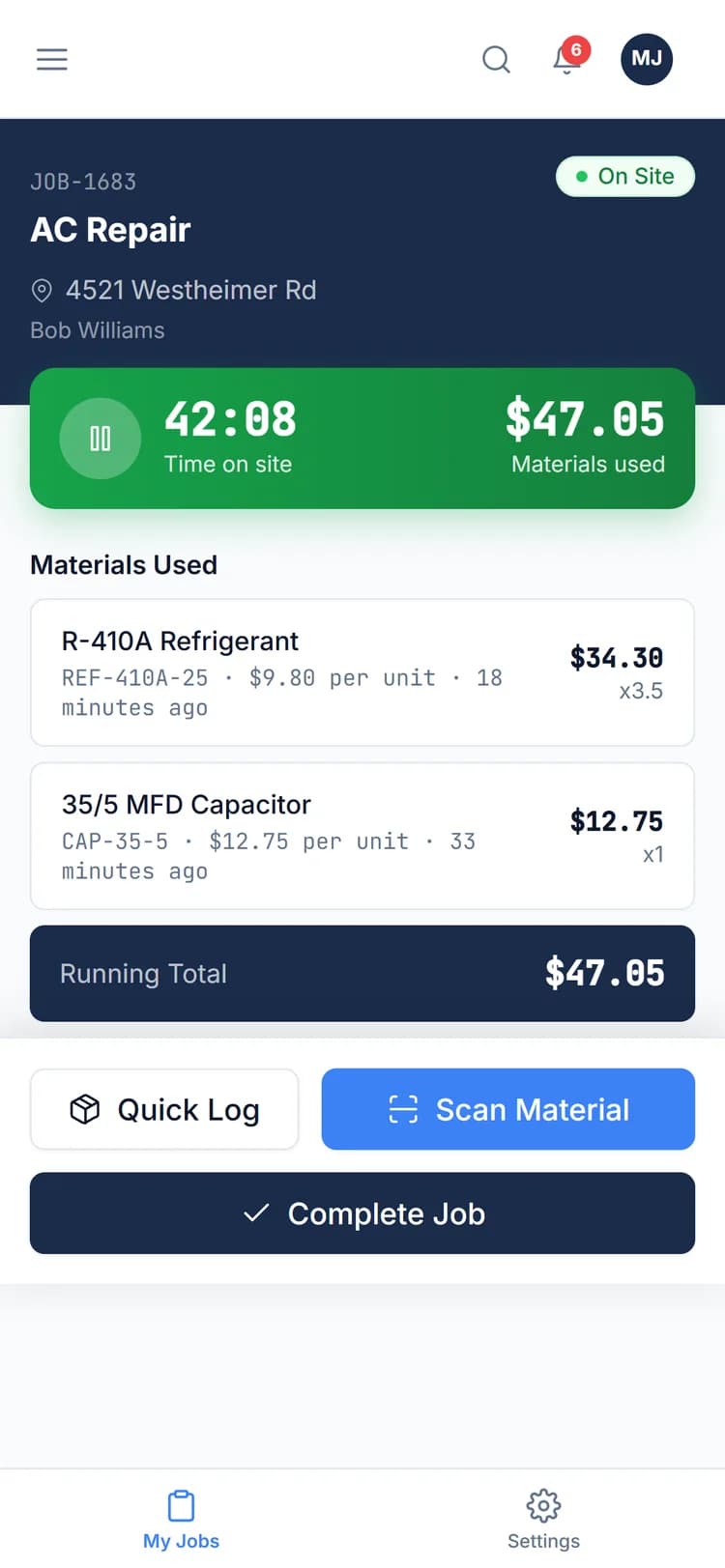
Running job timer
One tap on arrival starts the clock. Time on site gets recorded, not reconstructed.
Scan to log materials
The tech scans the label as the part goes in. No end-of-day memory test in the driveway.
Cost per job, live
Materials and time roll into a running total while the job is still open, so billing works from receipts.
Find out before the tech does
Low stock and out of stock get caught by the system, not by a phone call from a roof.
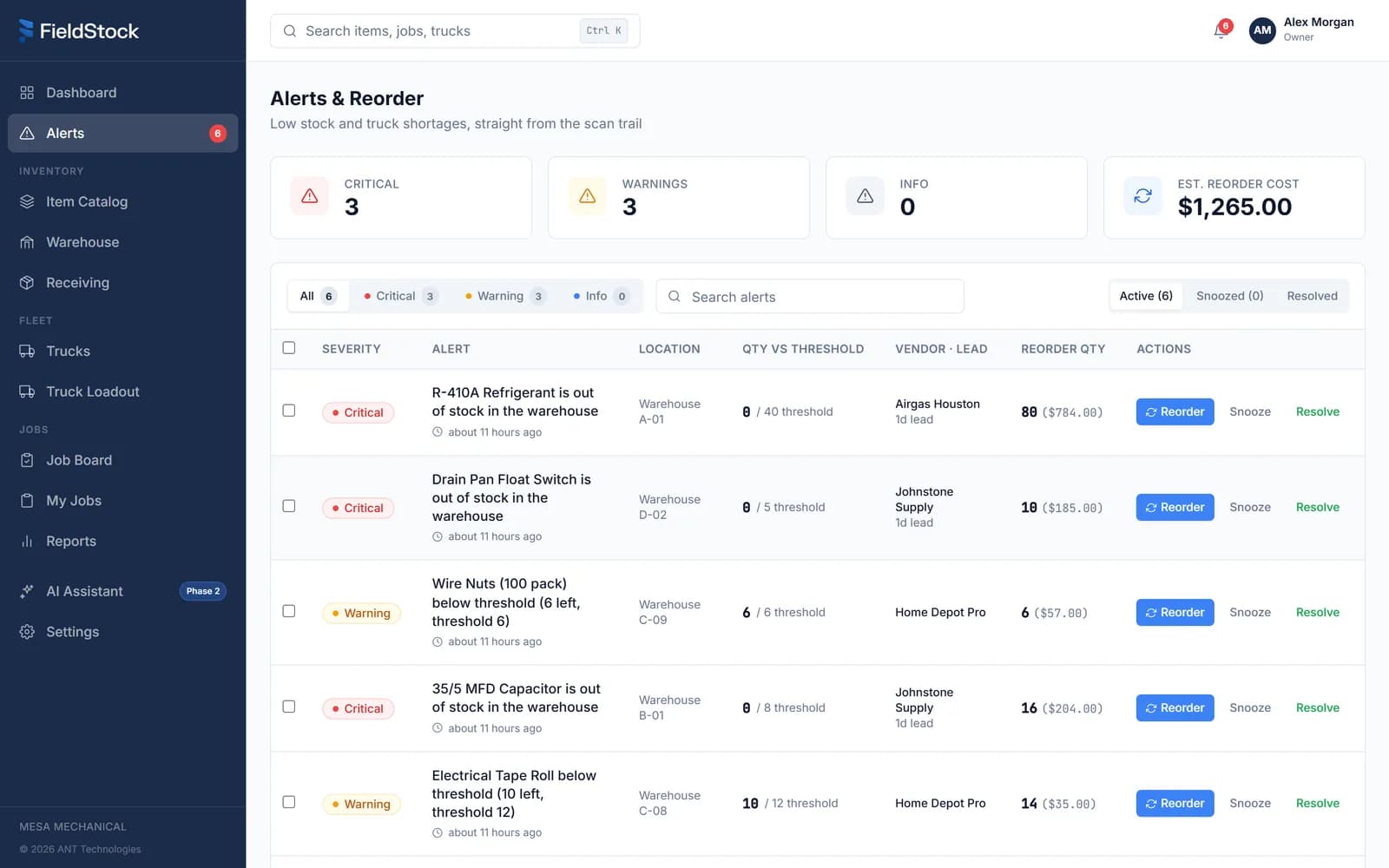
- 01Out of stock, top of the list
- 02Lead time from your vendor
- 03What the reorder will cost
Thresholds you set once
Pick a minimum for each item. FieldStock watches it from then on, across the warehouse and every truck.
Vendor lead time attached
Each alert carries the vendor and how long they take to deliver, so you order before the gap hurts.
Reorder cost up front
See what the restock will run before you pick up the phone. No surprises at the counter.
Email alerts
Whoever does the buying gets an email the moment stock dips. Nobody has to babysit a dashboard.
Five reports, all built from scans
Each one reads straight from the audit trail, so the numbers reflect what actually moved, not what somebody remembered.
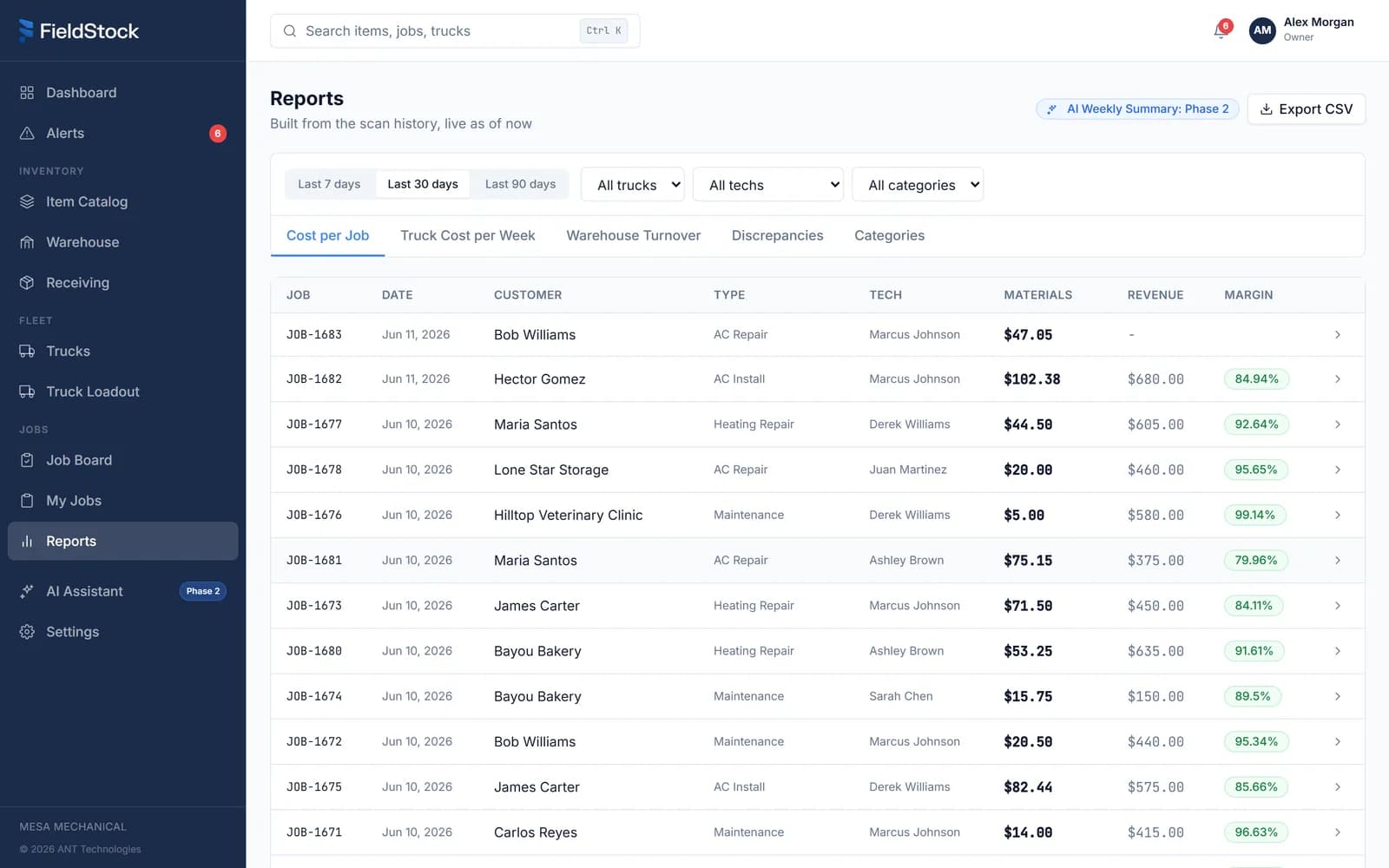
- 01Cost, revenue, and margin
- 02CSV, one click
Three roles, one flat price
Owner, shop, and tech each get their own view. Add as many people as you want, the price stays the same.
Sees the whole board
Dashboard, fleet status, job costs, alerts, reports, and settings. The shape of the business at a glance.
Runs the warehouse
Receiving, bins, and truck loadout. The shop keeps the shelves and the trucks honest.
Works the job
Their jobs, their truck, scan to log, and the clock. Nothing on screen they do not need.
Unlimited team members
One flat price. Add every tech and every shop hand, there are no per-user fees, ever.
Full audit trail
Every receive, load, use, and adjustment is logged with who, what, and when. Disputes end fast.
Command palette
Jump to any truck, item, or job with a keystroke. Built for owners who live on the keyboard.
Printed on paper, scanned by the phone already in your pocket
The only hardware is paper
No scanner guns to buy, no terminals to mount. Print the codes, stick them on, and the phones your crew already carries do the rest.
QR label sheets
Print label sheets for bins and items on the laser printer you already own. Stick them on, done.
Catalog scan book
A printed book of your whole catalog, one scannable code per item, for the counter or the truck cab.
Truck door codes
Each truck gets its own printable door code. Scanning it opens that truck’s loadout on the spot.
On the drawing board
We only sell what's built. These three are in active development, and we'd rather draw the line plainly than blur it.
AI assistant
Ask plain questions about your stock, jobs, and costs and get straight answers. Included at no extra cost for founding customers when it ships.
Accounting and FSM integrations
QuickBooks, ServiceTitan, and Housecall Pro, so material costs land in the books and the job records you already keep.
Native mobile apps
iOS and Android versions of the same scan-first workflow. Until then, the web app runs on any phone, no install needed.
Everything above this line ships today and is in the price.
See the whole system on your own parts
Book a demo, bring your catalog, and watch a delivery go from dock to truck to job. Month to month, no contract, cancel anytime.